
Enterprise Communication Solution
A comprehensive communication solution that facilitates seamless interactions between employees and customers while managing call quality.

Key Features
Discover the core features of our enterprise communication solution.
Sales Call Management
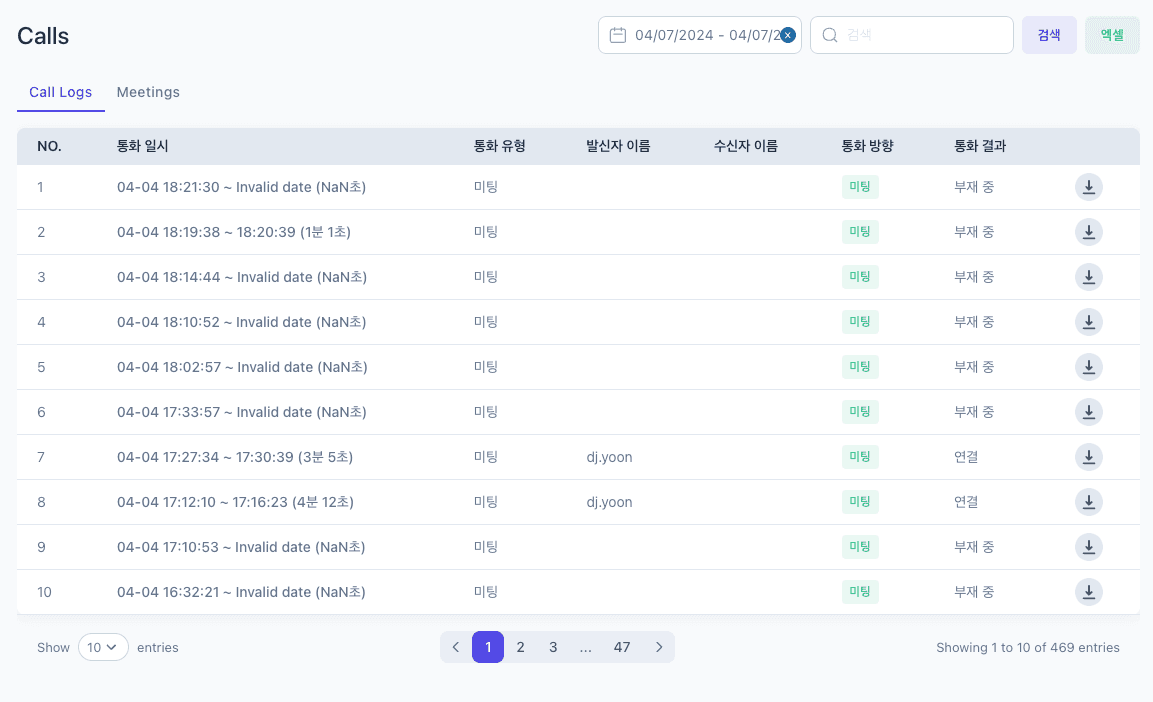
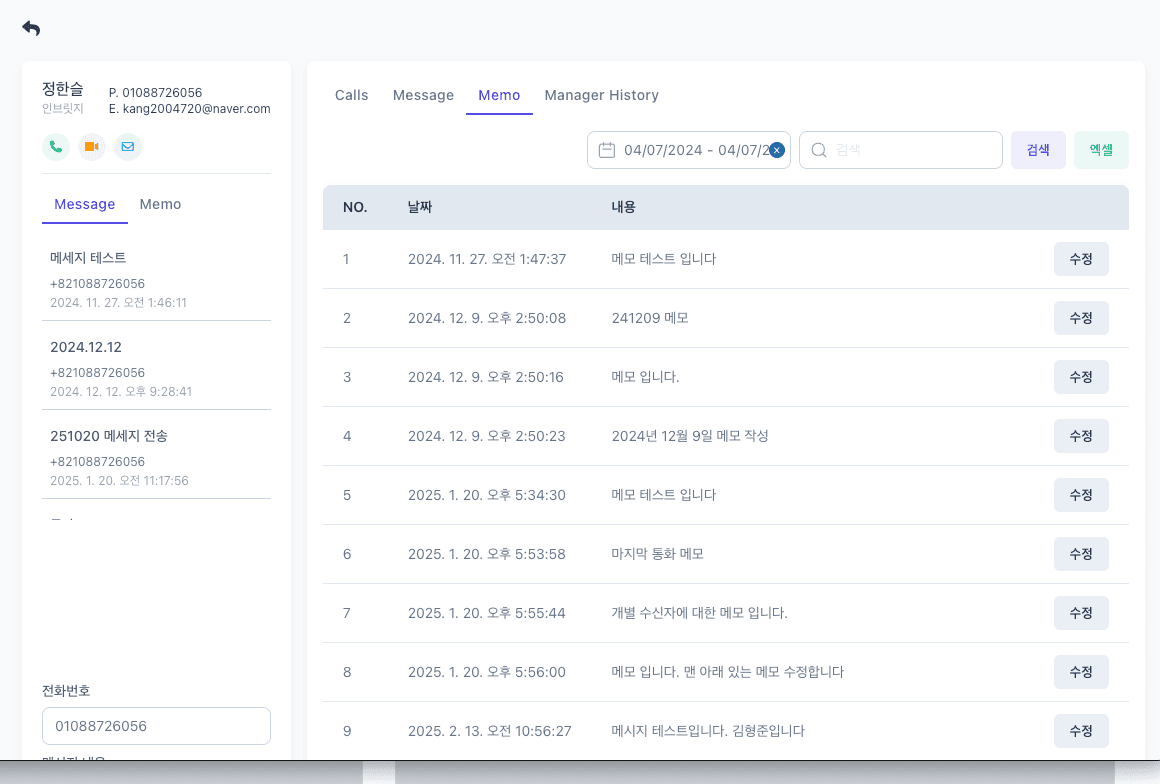
Efficiently manage calls between employees and customers with notes, SMS, and messaging capabilities
Compliance Recording
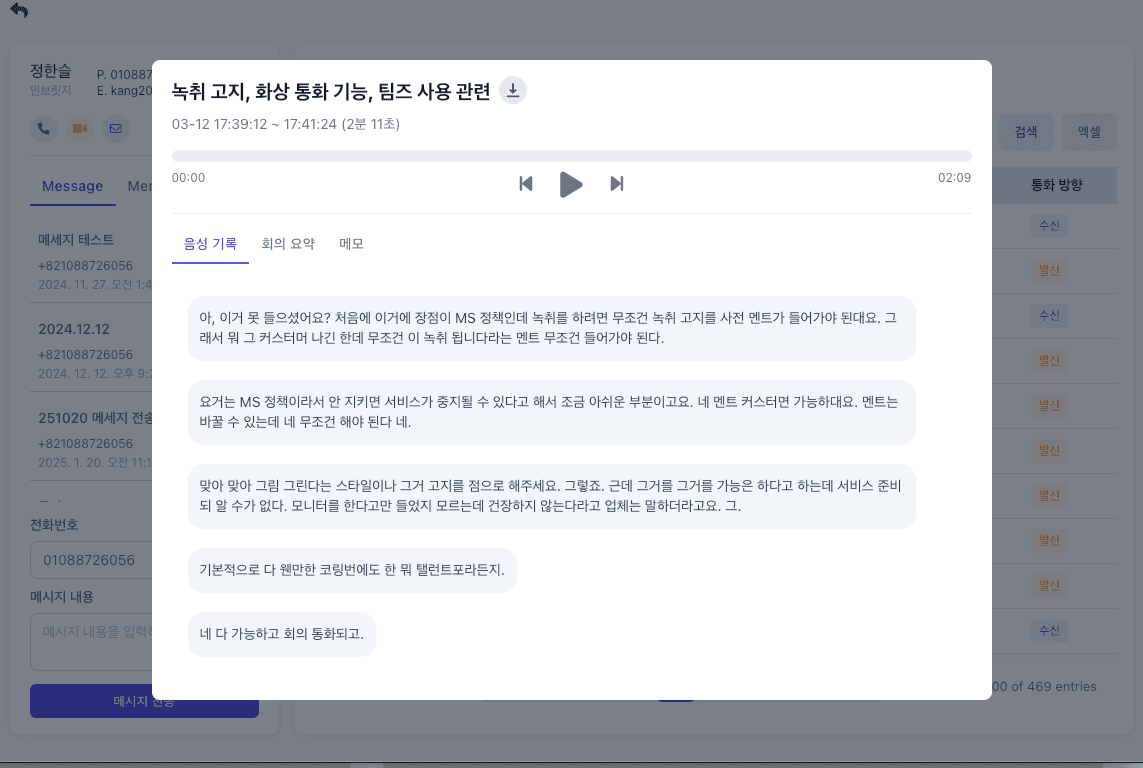
Call recording, STT, auto-generated meeting minutes, and call sentiment/risk management
Salesforce Integration
Seamless integration with Salesforce CRM for call history and recording data
Multichannel Messaging
Unified customer messaging management across SMS, WhatsApp, and other channels
Call Quality Monitoring
Real-time call quality monitoring with automatic alerts when issues are detected
Call Analytics Dashboard
Intuitive dashboard for call data analysis and actionable insights
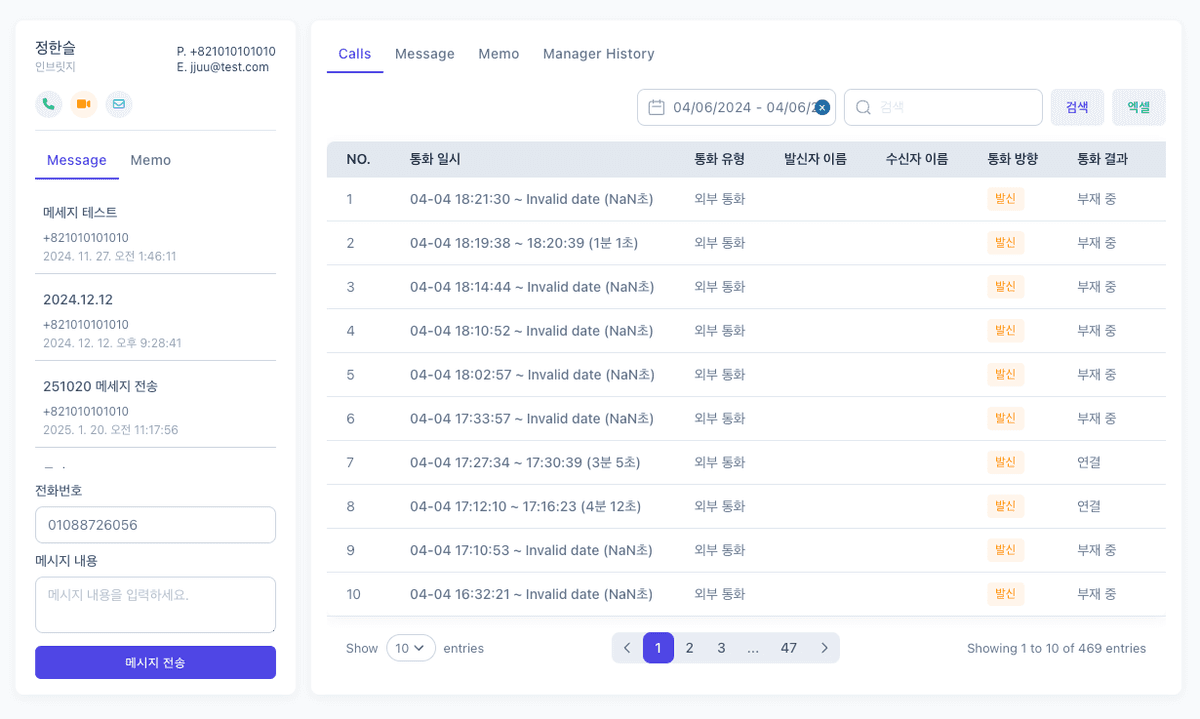
Sales Call Management
A solution that efficiently manages calls between employees and customers, providing notes, SMS, and WhatsApp messaging capabilities. Boost sales productivity and strengthen customer relationships.
In-Call Note Taking
Take real-time notes during calls and automatically link them to customer records
Post-Call SMS/Messaging
Instantly send follow-up information to customers via SMS, WhatsApp, and more right after calls
Customer History Management
Centrally manage all call and messaging histories to improve customer service quality
Follow-Up Reminders
Automatic reminders for required follow-up actions after calls to prevent missed sales opportunities
Compliance Recording
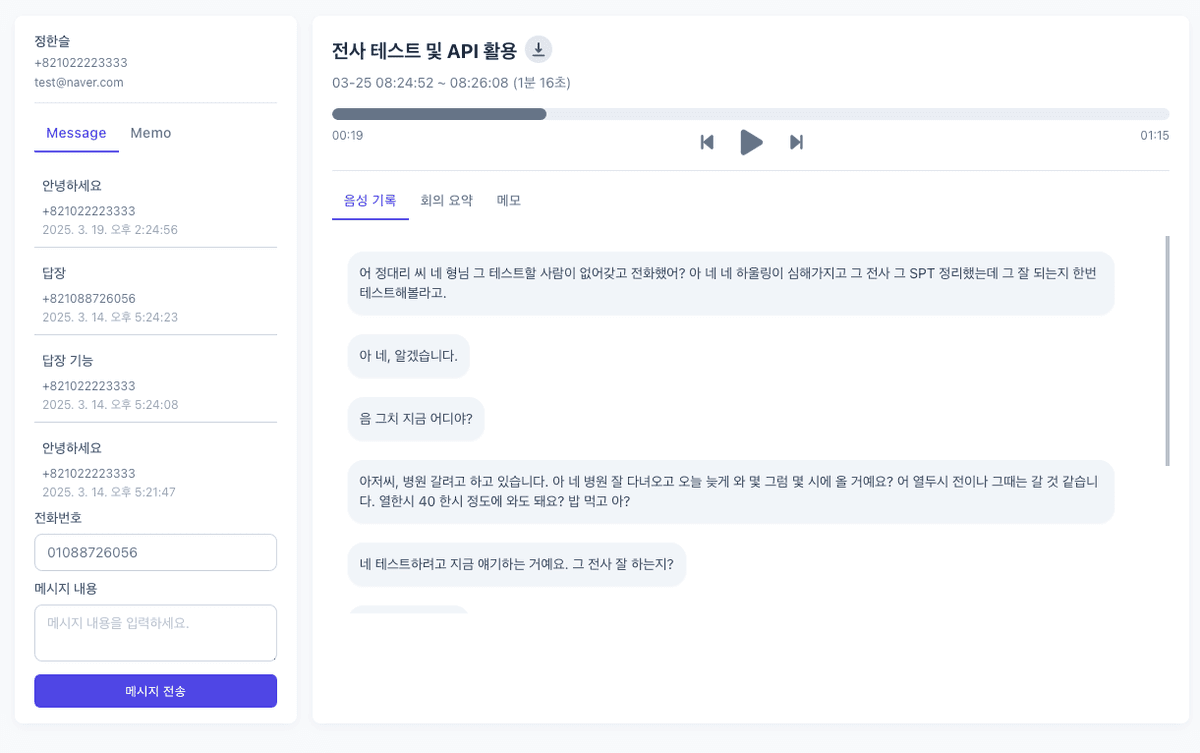
A solution providing call recording, STT (Speech-to-Text), auto-generated meeting minutes, and call sentiment/risk management. Supports enterprise regulatory compliance and risk management.
Automatic Call Recording
Automatically record all call content and store it securely
STT (Speech-to-Text)
Convert call content to text in real time for searchable and analyzable storage
Sentiment & Risk Analysis
Analyze customer sentiment during calls and detect risky situations to alert managers
Auto-Generated Meeting Minutes
Automatically summarize call and meeting content into structured meeting minutes
Salesforce Integration
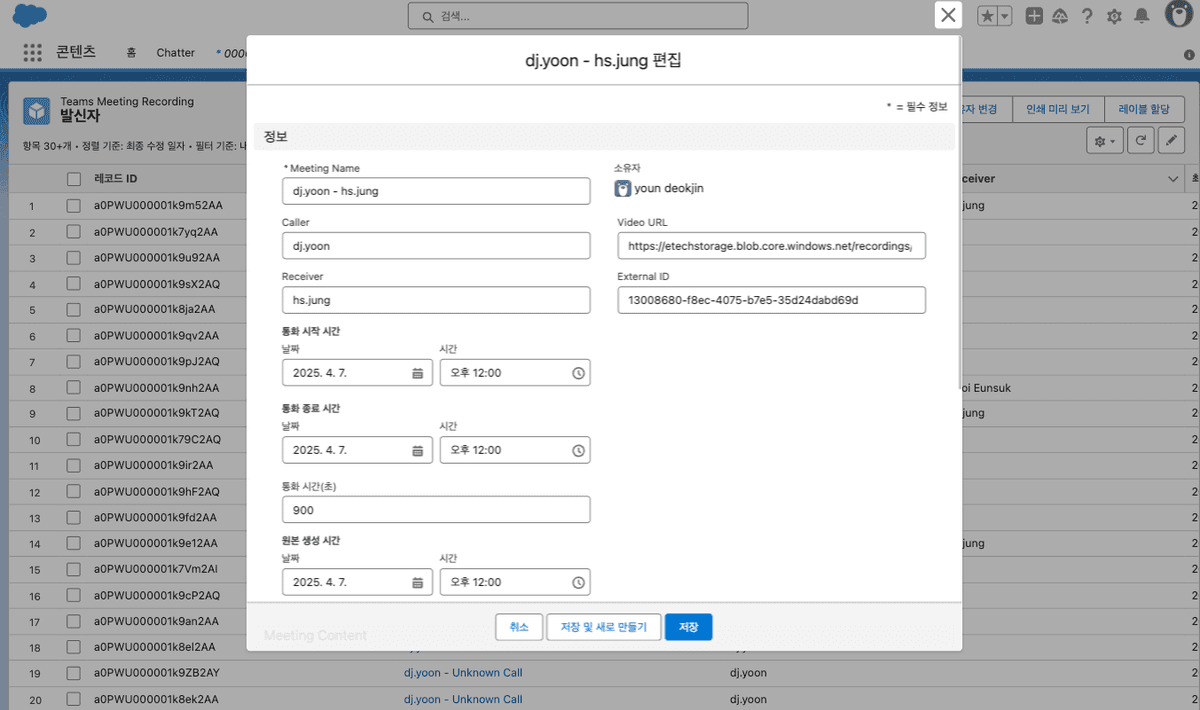
A solution providing seamless integration with Salesforce CRM for call history and recordings. Unify and streamline your sales and customer management processes.
Automatic Call Logging
All call records are automatically logged to the corresponding Salesforce customer record
Recording File Integration
Play and manage call recordings directly within Salesforce
Call Analytics Data Integration
Integrate call sentiment analysis, keyword analysis, and other data into Salesforce reports
Task Automation
Automatically create follow-up tasks in Salesforce based on call outcomes
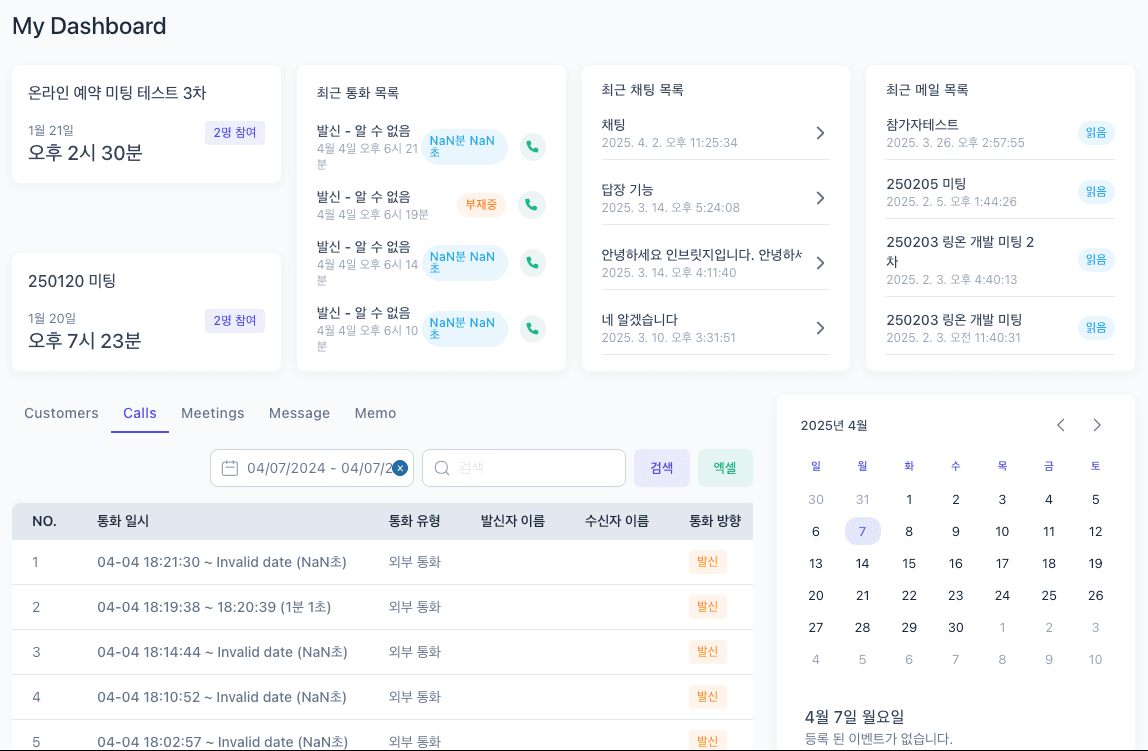
Key Screenshots
Key screens of the Call Center & Communication Solution
Frequently Asked Questions
Find answers to common questions about our enterprise communication solution.
What types of businesses is the enterprise communication solution suited for?
It is suitable for any business with high call volumes. Industries such as finance, insurance, telecommunications, and retail that rely heavily on customer consultations, as well as companies with active sales operations and strict regulatory requirements, can benefit greatly.
Can it integrate with existing communication systems?
Yes, it can integrate with most existing communication systems. It works with IP-PBX, cloud phone systems, Microsoft Teams, and various other platforms.
Can it integrate with CRM systems other than Salesforce?
Yes, in addition to Salesforce, it can integrate with Microsoft Dynamics, HubSpot, Zoho CRM, and other CRM systems. Custom API integrations are also available upon request.
How is call recording data stored?
All call recording data is encrypted and stored in a secure cloud environment. Data retention periods can be configured to meet your company's requirements and regulatory obligations, and backups to on-premise storage are also available if needed.
How long does implementation and setup take?
Basic setup can be completed within approximately 2-4 weeks, depending on your company's requirements and system complexity. We recommend a phased approach, implementing core features first and gradually expanding over time.
How is technical support provided?
We provide 24/7 technical support via phone, email, and chat. We also offer regular maintenance and update services to ensure you always have the latest features and security.
Get Started Today
Transform your customer communications with our enterprise communication solution.