
DefenderX
From multi-vendor XDR API data collection to SIEM integrated analysis, GenAI-powered automated report generation and editing — an all-in-one next-generation security monitoring platform
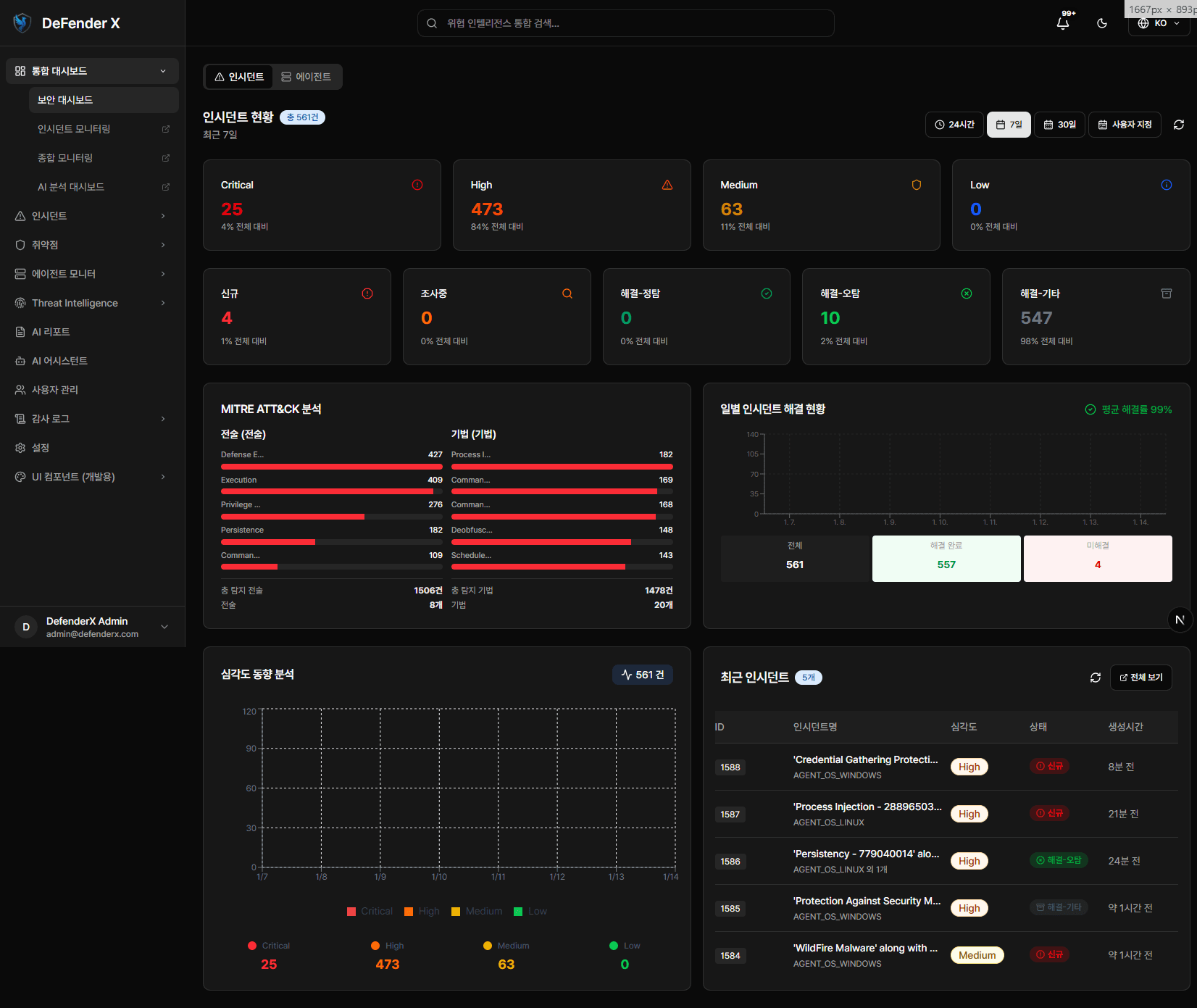
Key Features
Discover the core capabilities of DefenderX.
Multi-vendor XDR Collection
Automatically collect and centrally manage security data from various vendors via XDR APIs
SIEM Integrated Analysis
Real-time correlation analysis of collected security events with automated threat detection SIEM engine
GenAI Report Generation
GenAI analyzes security posture and auto-generates reports, with editing tools for customized report completion
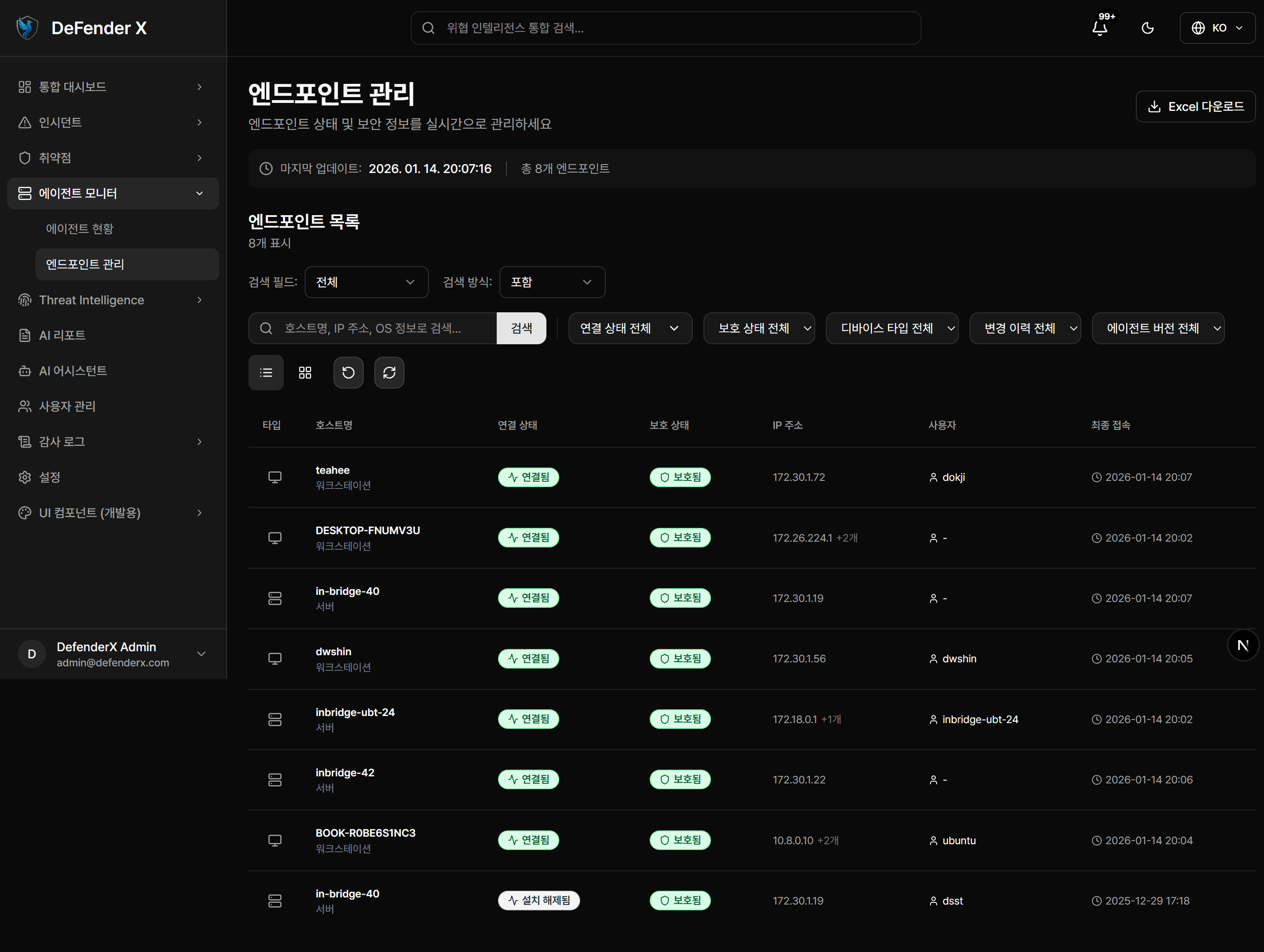
Agent Monitor
Real-time monitoring of endpoint agent installation status, version management, and policy compliance
Threat Intelligence
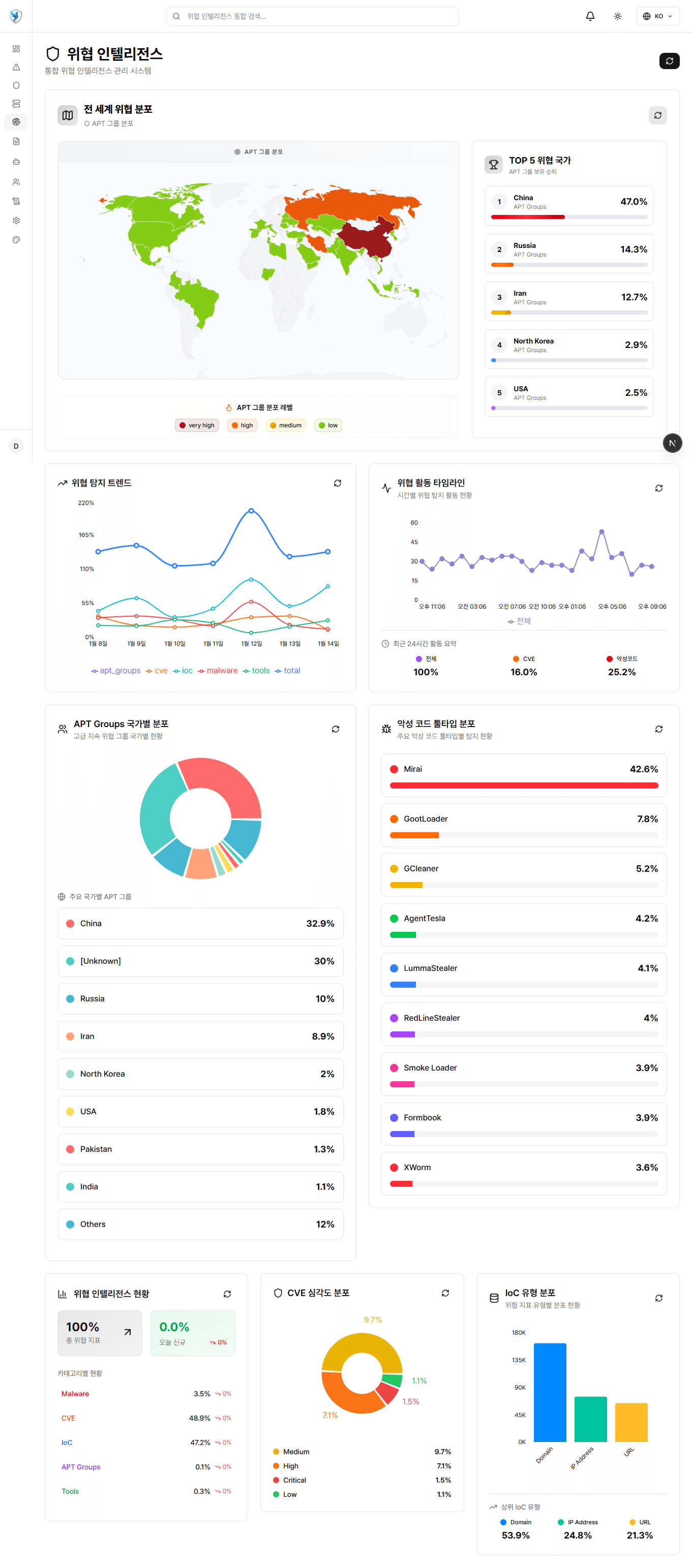
Integrated CVE, IoC, APT group, and malware intelligence for proactive threat detection and analysis
Unified Dashboard
Real-time unified dashboard providing at-a-glance visibility into security events, incidents, and endpoint status
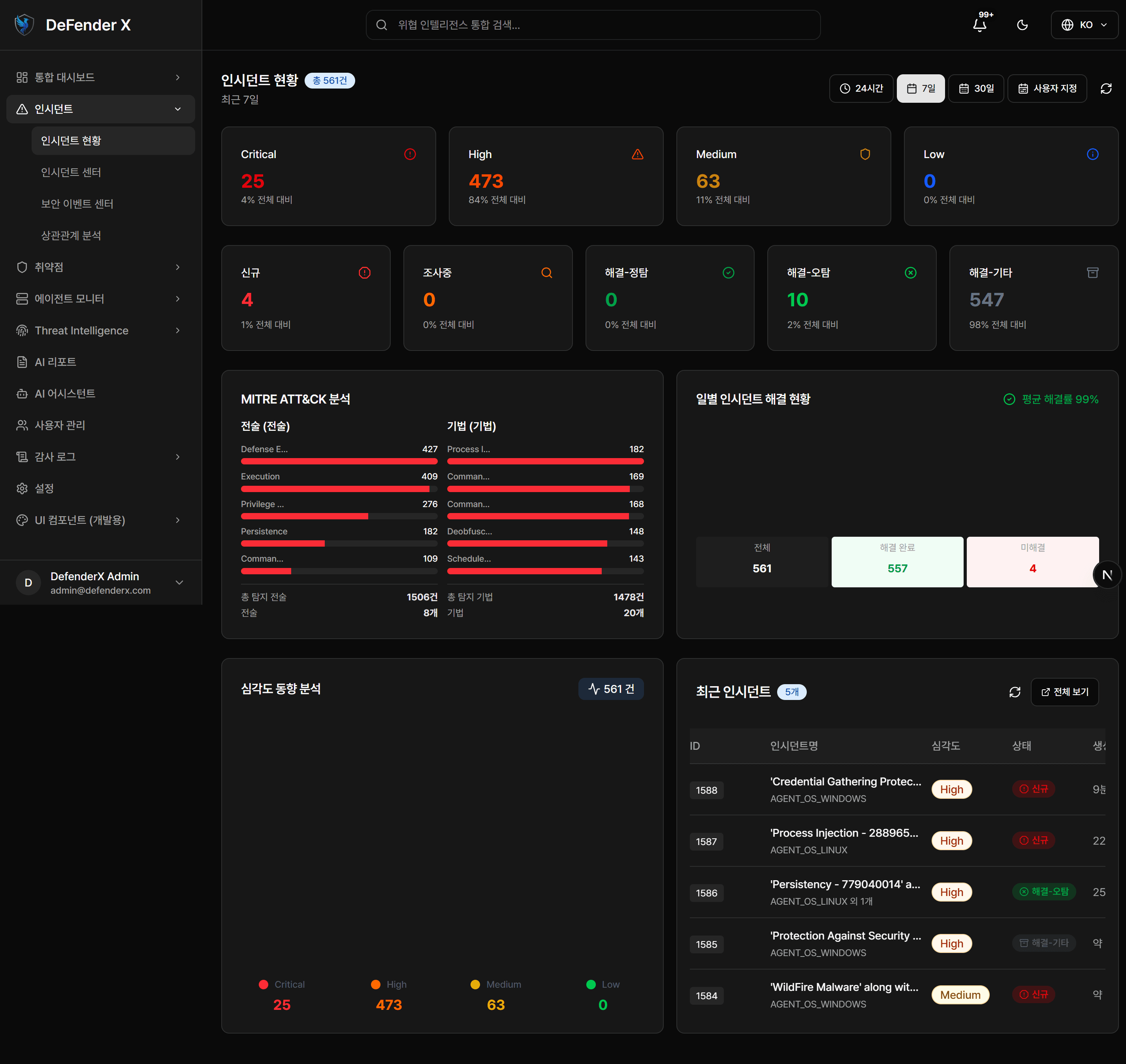
Incident Management
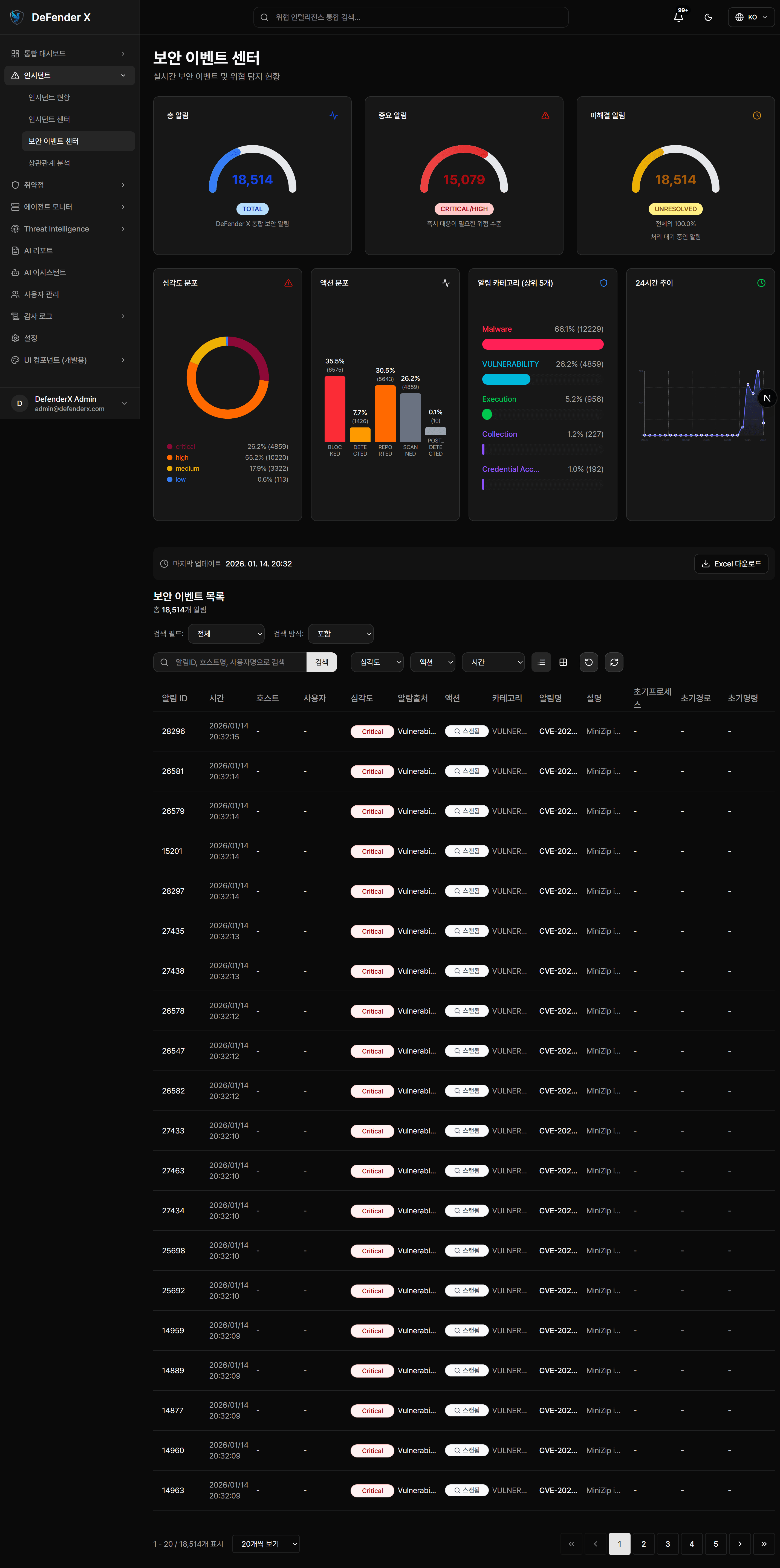
Automatically classify security incidents collected via multi-vendor XDR APIs and set response priorities based on severity for rapid incident response.
Automatic Incident Collection
Automated incident collection via multi-vendor XDR APIs with unified indexing
Severity-Based Classification
Automatic classification and alerting by severity levels: Critical, High, Medium, Low
Timeline Analysis
Visual timeline display from incident occurrence through response completion
Response Workflows
Automated response workflows for SOAR capabilities
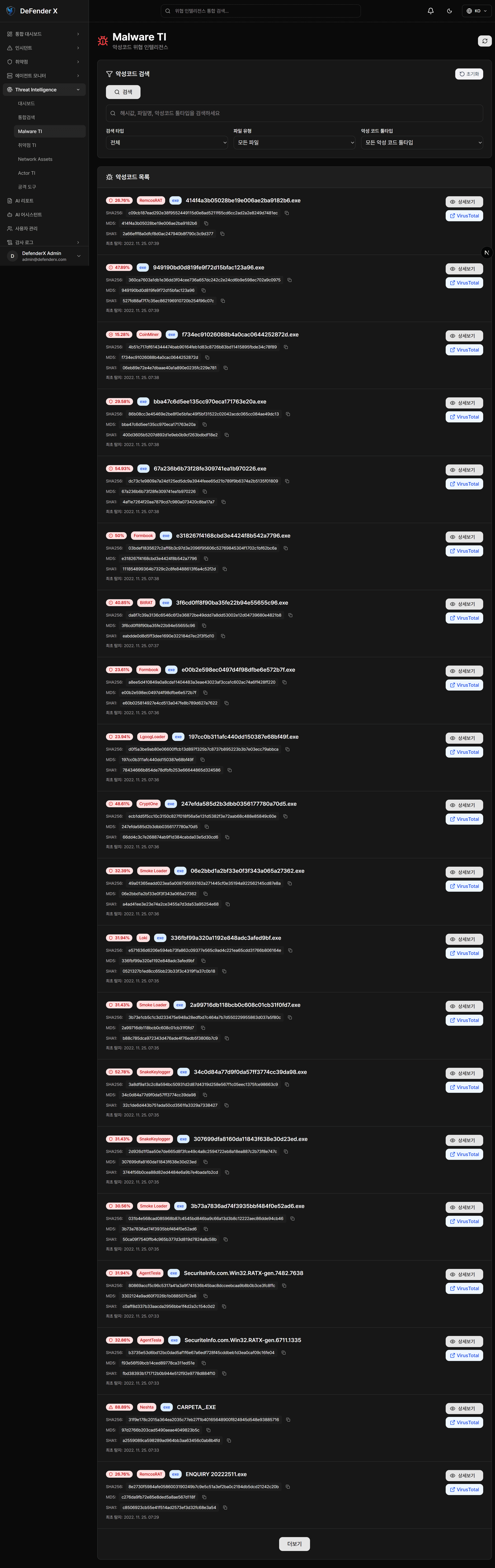
Threat Intelligence
Build a proactive threat response system by integrating CVE vulnerabilities, IoC indicators, APT group intelligence, and malware analysis results.
CVE Vulnerability Lookup
Integration with the latest CVE vulnerability database and impact analysis
IoC Correlation
Multi-source IoC correlation with VirusTotal, AbuseIPDB, URLhaus, and more
APT Group Tracking
MITRE ATT&CK framework-based APT group TTP analysis and tracking
Malware Analysis
Malware detection and classification through file hash and behavioral analysis
GenAI Security Analysis
Maximize security operations efficiency with GenAI-powered analysis that automatically identifies critical threats from massive security events and generates security reports. Use the report editing tools to create customized reports.
Automated Report Generation
GenAI automatically analyzes security posture, incidents, and threat trends to generate comprehensive reports
Report Editing Tools
Intuitive editing tools to modify and customize auto-generated reports
AI Assistant
AI chatbot supporting natural language queries and analysis of security data
Automated Response Recommendations
AI-driven optimal response recommendations for each incident type
Key Screens
Frequently Asked Questions
Find answers to common questions about DefenderX.
What type of enterprise is DefenderX suitable for?
DefenderX is suitable for any enterprise looking to strengthen their security monitoring capabilities. It is especially effective for mid-to-large enterprises using XDR solutions or evaluating SIEM adoption.
Which XDR vendors are supported?
DefenderX supports multi-vendor XDR APIs, integrating with various security vendor XDR solutions. It can aggregate and analyze logs from diverse sources including firewalls, IDS/IPS, and endpoints.
What does the GenAI report feature do?
GenAI analyzes massive security events to automatically identify critical threats and generates security reports. You can use the editing tools to modify and customize reports to your needs.
How long does deployment and setup take?
Basic setup can be completed within 2-4 weeks. The process includes XDR API integration, dashboard customization, and more, deployed flexibly to match your existing infrastructure.
How is user access managed?
RBAC (Role-Based Access Control) is supported, allowing granular management of user access to dashboards, incidents, and settings. All activities are recorded through audit logs.
How is technical support provided?
We provide 24/7 technical support via phone, email, and chat. Maintenance services include regular security updates and signature updates.
Get Started Today
Upgrade your enterprise security monitoring with DefenderX.