
SharePoint White Label
Providing a secure and efficient file management and collaboration environment based on OneDrive and SharePoint.

Key Features
Introducing the core features of our cloud-based file management and collaboration solution.
Cloud Storage
Secure and scalable cloud storage solution based on OneDrive
White Label Drive
Custom UI/UX OneDrive and SharePoint solution tailored to your corporate brand
Document Collaboration
Enhance team collaboration with real-time co-authoring and version control
Boards & Approvals
SharePoint-based bulletin boards, approval workflows, blogs, and other collaboration tools
File Security
Secure protection and sharing of critical files with advanced permissions and encryption
Mobile Accessibility
Access and manage files anytime, anywhere through mobile devices

OneDrive White Label
A white-label solution that customizes the powerful features of Microsoft OneDrive to match your corporate brand. Enjoy all the benefits of cloud storage while maintaining your corporate identity.
Corporate Branding
Customized interface with your corporate logo, colors, and design elements
Large-Scale Storage
Up to 1TB of secure cloud storage per user
File Synchronization
Automatic file sync across all devices to keep the latest version
Advanced Search
AI-powered search to quickly find the files you need
SharePoint White Label
A solution that customizes the powerful collaboration features of Microsoft SharePoint to meet your enterprise needs. Provides bulletin boards, approval workflows, blogs, and various collaboration tools.
Custom Boards
Configure and manage various types of bulletin boards tailored to enterprise requirements
Electronic Approval System
Implement electronic approval processes aligned with corporate workflows
Corporate Blog
Corporate blog platform for internal knowledge sharing and communication
Document Library
Organized document library with systematic document and version management

File Security & Access Management
Provides advanced security features to safely protect and efficiently share your critical enterprise data. Prevent information leaks with granular permission settings.
Granular Access Permissions
Set and manage granular access permissions at the folder and file level
File Encryption
Protect data with automatic encryption for files at rest and in transit
External Sharing Controls
Secure file sharing and access control with external users
Audit Logs
Detailed audit logs for all file access and activity
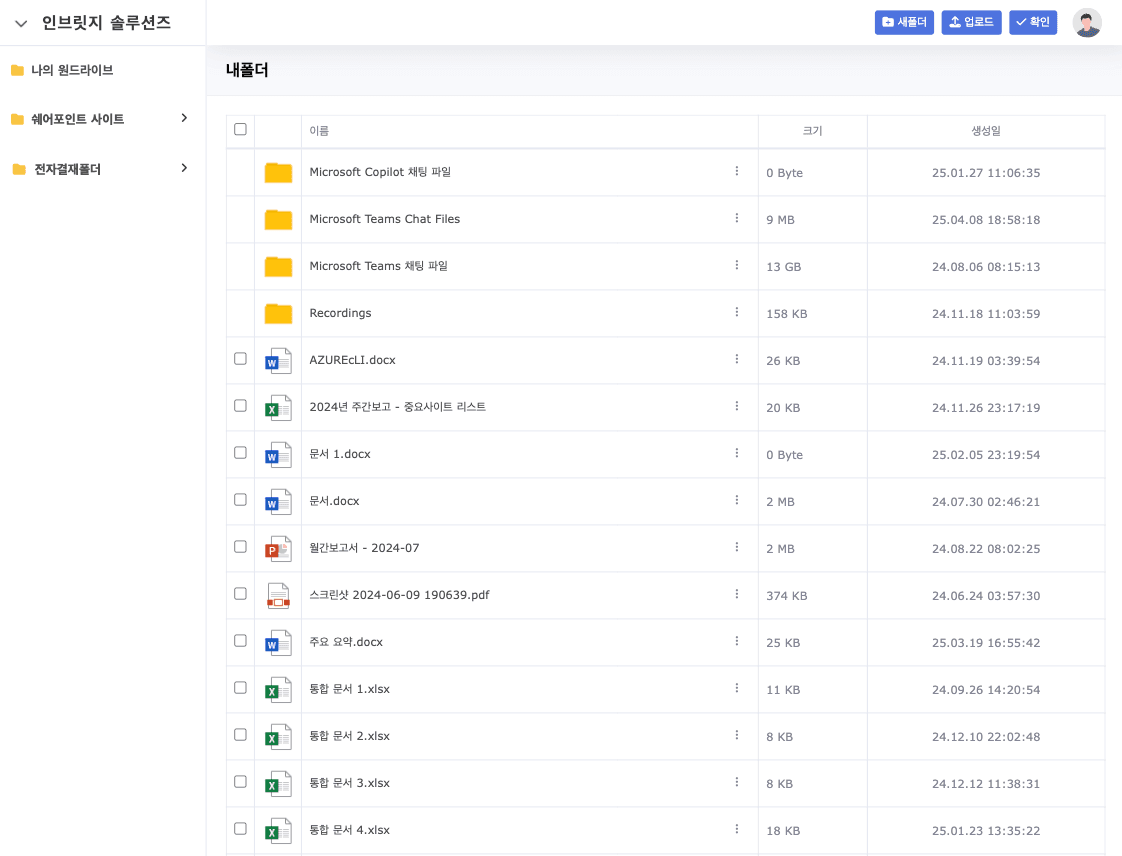
Key Screenshots
Cloud-based file management and collaboration solution

Frequently Asked Questions
Find answers to your questions about our cloud-based file management and collaboration solution.
What types of businesses is the cloud-based file management solution suitable for?
It is suitable for businesses of all sizes where document and file management is important. It provides significant benefits especially for companies with multiple branches or remote work environments, project-based organizations where team collaboration is essential, and enterprises in finance, legal, and healthcare where document security is critical.
What is a white-label solution?
A white-label solution is a service that customizes existing services like Microsoft OneDrive or SharePoint with your company's brand, logo, and colors so it appears as if it were developed in-house. You can leverage all the features of a proven cloud service while maintaining your corporate identity.
How is data security ensured?
All data is encrypted during transmission and storage. We provide various security features including multi-factor authentication, granular access permissions, and anomaly detection. Regular security audits and updates also help protect against the latest security threats.
Is integration with existing systems possible?
Yes, integration with various systems such as Microsoft 365, Google Workspace, and internal enterprise systems is possible. API-based connectivity allows you to enjoy the benefits of cloud file management while maintaining your existing workflows.
How long does deployment and setup take?
Basic setup can be completed within approximately 2-3 weeks, though this may vary depending on your enterprise requirements and system complexity. Additional time may be needed if custom feature development is required.
How is technical support provided?
We provide 24/7 technical support, with support requests available via phone, email, and chat. Regular maintenance and update services are also provided to ensure you always have the latest features and security.
Get Started Today
Boost your enterprise productivity with our cloud-based file management and collaboration solution.